
Refund Policy
A clear path for your buying request fee and order concerns.
Updated 01 October 2026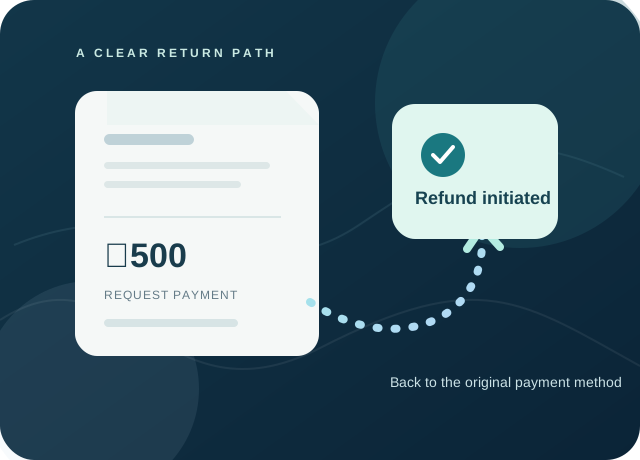
How a no-bid refund works
Full ₹500 fee refund
If no valid supplier bid is received by the stated buying request deadline, Rawhub initiates a refund of the full ₹500 fee to the original payment method within one business day of that deadline. The payment provider or bank controls when the credit appears in the account; this can take additional working days.
Credit or review
If a valid bid is received and the retailer accepts it, the original ₹500 is credited against the confirmed order. A request that receives a supplier bid but is not accepted does not qualify for the automatic no-bid refund; contact support for review. An expired request with bids will be held for review.
Report a delivery problem
From My Orders, submit a claim with the affected item, quantity, AWB and clear photos. For visible transit damage, please report preferably within 48 hours and keep the packaging. If an issue becomes visible later, report it as soon as practical. These reporting targets do not remove rights that apply by law. Rawhub compares the evidence with courier and supplier records before deciding whether to replace, collect or refund affected goods.
Request a return
Wholesale orders are procured for business use. A change-of-mind return needs approval from the supplier and Rawhub. Damaged, wrong, missing or defective goods receive a case review. Do not ship goods back until Rawhub gives return instructions; a shipment marked delivered is not itself proof that every item is correct.
After approval
Admin review records the decision but does not automatically move money. Rawhub confirms the approved amount, any collection or replacement, shipment charges and the original transaction before initiating a refund. Prepaid refunds normally return to the original payment method through that provider; COD refunds require confirmation of COD collection and a verified manual payout. The payment provider or bank controls when a processed credit appears.
If checkout fails after paying
Do not pay again if a payment was captured without an order. Share the payment reference and order details with Rawhub so the transaction can be reconciled and fulfilled or refunded where appropriate.
Need help with a payment or order?
Keep your buying request, order or payment reference ready when contacting Rawhub support.